Ability to Choose if a Convenience Fee for a Credit Card Payment Applies
Stay is enhanced to allow users to choose to apply a convenience fee for credit card payments made at the property. Previously, the convenience fee applicable for the selected credit card payment method was displayed automatically in the following screens and users had to manually override the fee amount to $0 to avoid charging the convenience fee:
-
Early Check Out with a Balance
-
Batch Operations - Settle Only, Settle and Check Out, and Force Check Out
-
Make Payment
-
Split Payment
-
Book a Reservation
-
Collect Deposit (Reservation ➜ Estimated Charges ➜ Collect Deposit)
Feature Setting
The following feature setting must be enabled to use this feature:
-
Name: Card Convenience Fee
-
Value: Must be enabled
-
Comments: License is not required
Permission
The following permission must be assigned to users to override and modify the convenience fee charged and proceed with the payment:
-
Stay_CardConvenienceFeeOverride
Batch Operations - Deposit Due Tab
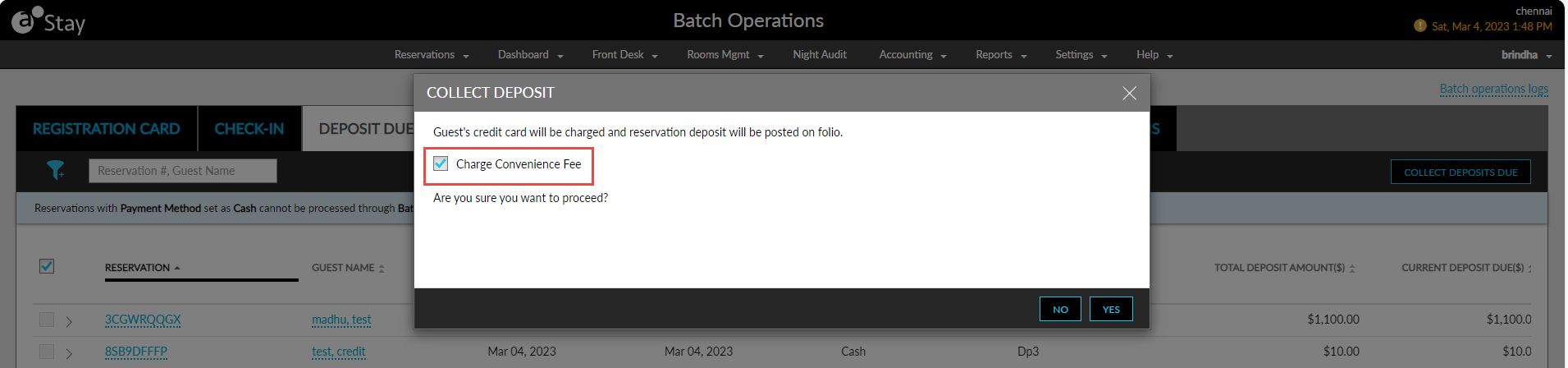
When users collect the deposit amount for the selected reservations from the Deposit Due tab of the Batch Operations screen, users can choose to apply the convenience fee for the applicable credit card payment methods by enabling the Charge Convenience Fee checkbox in the Collect Deposit screen (Front Desk ➜ Batch Operations ➜ Deposit Due ➜ Collect Deposit Due). When enabled, the convenience fee is charged for the selected reservations.
Night Audit - Collect Deposits Due
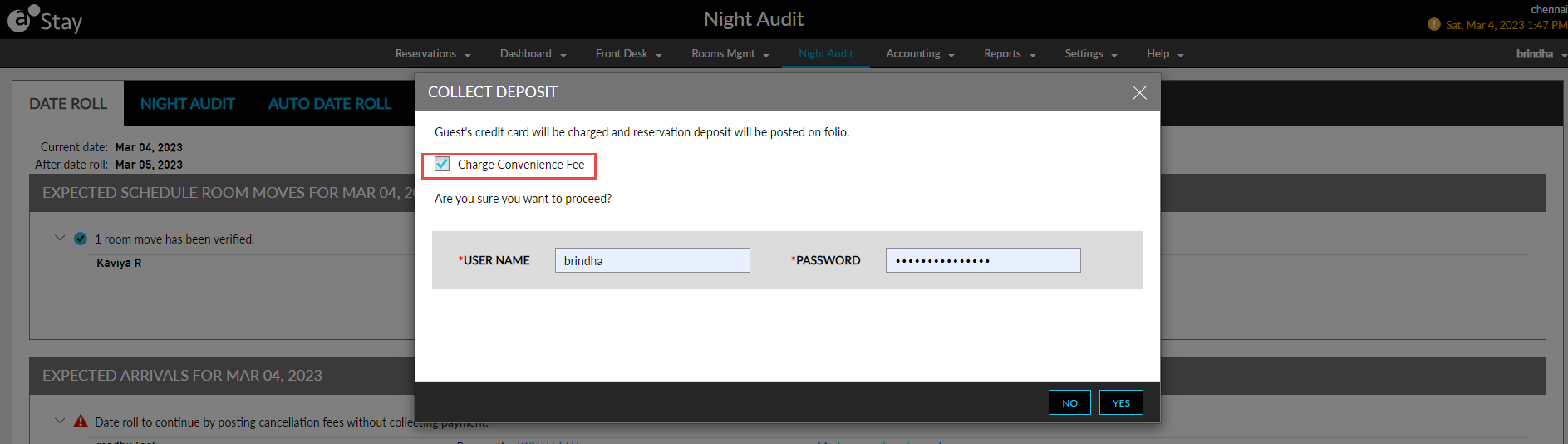
When users collect the deposit amount for the reservations using the Collect Deposits Due option in the Night Audit screen, users can choose to apply the convenience fee for the applicable credit card payment methods by enabling the Charge Convenience Fee checkbox in the Collect Deposit screen (Night Audit ➜ Collect Deposits Due). When enabled, the convenience fee is charged for the reservations.
Book Reservation Screen
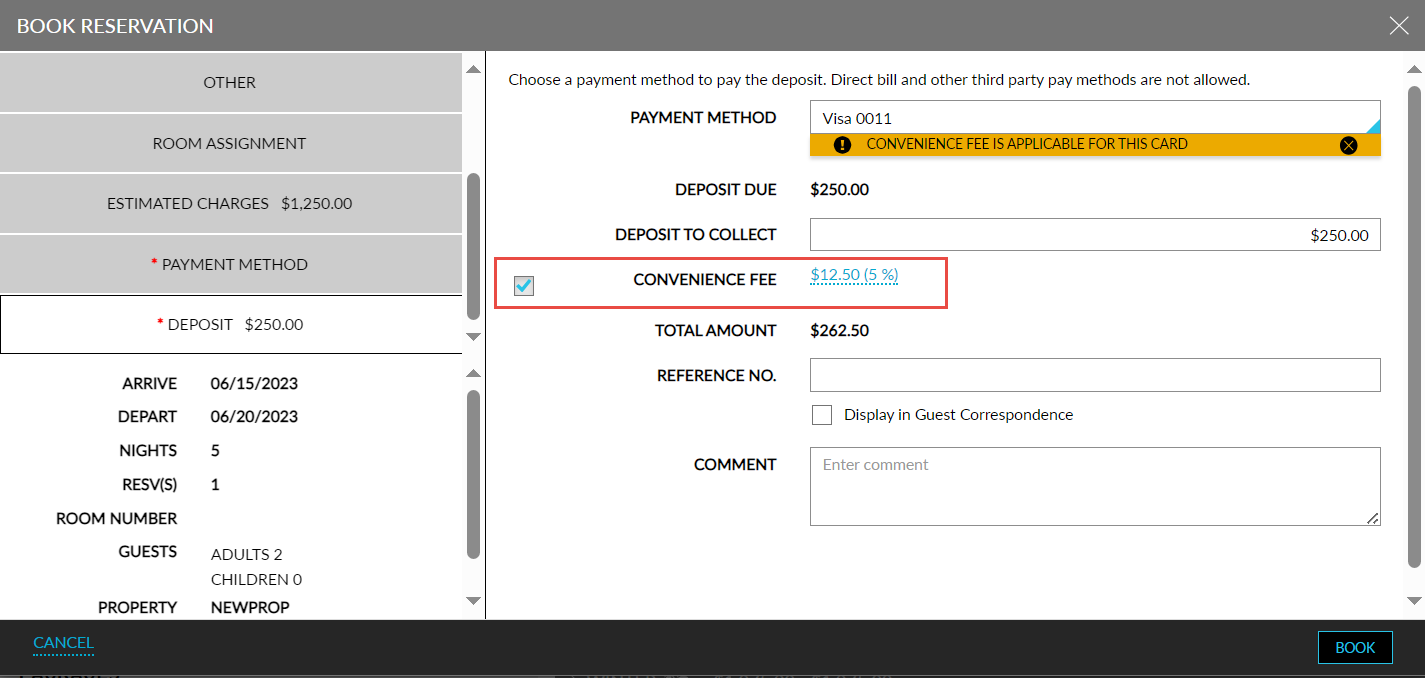
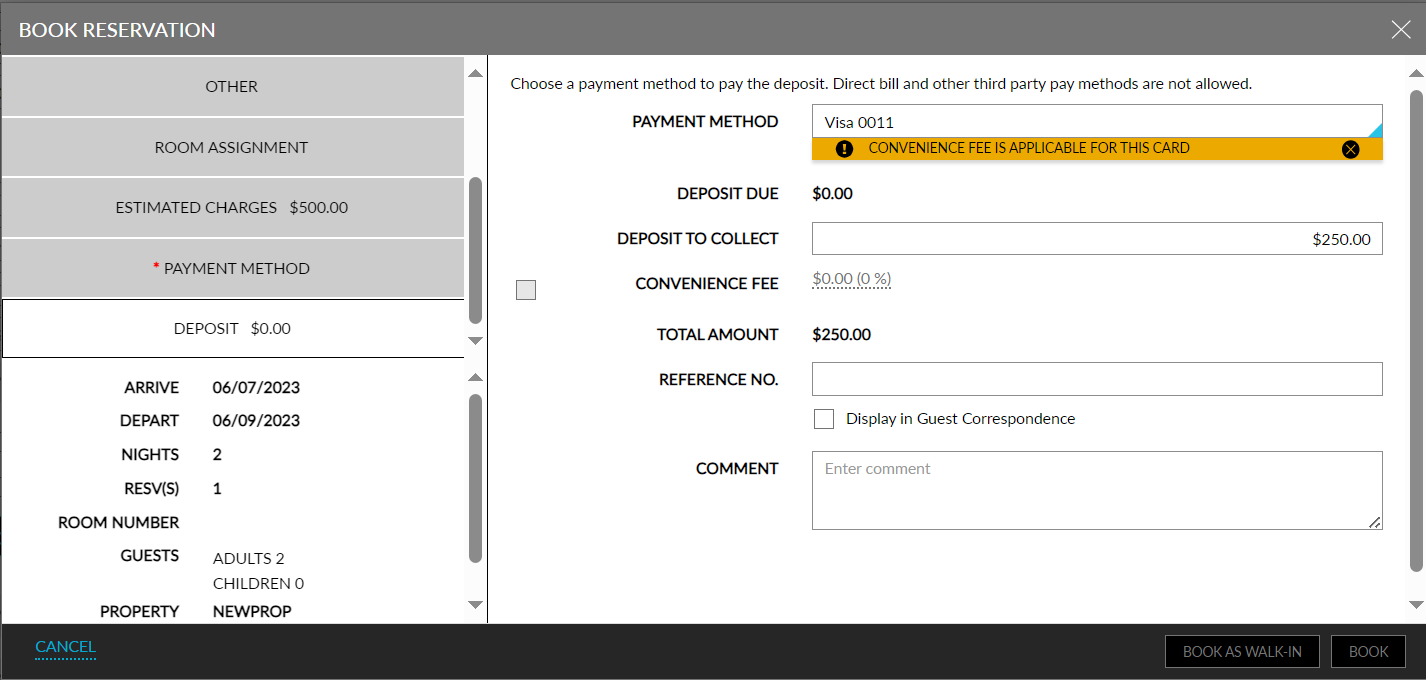
When users create reservations using rate plans with Immediate Deposit Policy, the convenience fee applicable for the credit card payment selected to pay the deposit amount is calculated and displayed in the Deposit tab of the Book Reservation screen only when the Convenience Fee checkbox is enabled.
When this checkbox is disabled, the Convenience Fee field displays the fee amount as $0 and cannot be modified.
Users must enable this checkbox to charge convenience fee for the payment method selected to pay the deposit amount for the reservation.
Reservation - Collect Deposit Due
Users must enable the Charge Convenience Fee checkbox in the Collect Deposit screen (Reservation ➜ Estimated Charges ➜ Collect Deposit Due) to charge a convenience fee for the payment method selected to pay the deposit amount for the reservation that is scheduled to be collected on the current property date.
When this checkbox is selected, the convenience fee applicable for the credit card payment selected is displayed under the Fee column. When disabled, the Fee column the fee amount as $0 and cannot be modified. When a convenience fee is not configured for the selected credit card payment method, the Fee column displays a hyphen (-).
The convenience fee for the future deposit schedules cannot be collected by enabling the Charge Convenience Fee checkbox in this screen.
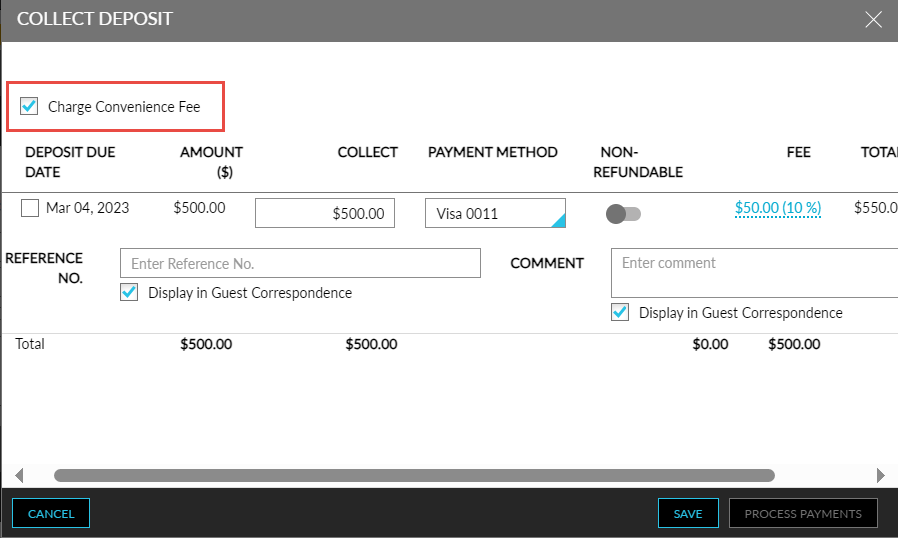
To support this enhancement, a new checkbox, Charge Convenience Fee, has been added to the following screens to allow users to choose to charge a convenience fee for the selected credit card payment method:
-
Batch Operations ➜ Deposit Due ➜ Collect Deposit Due
-
Night Audit ➜ Collect Deposits Due
-
Reservation ➜ Estimated Charges ➜ Collect Deposit Due
By default, the checkbox is disabled in all screens.